
Panoptic Scans MCP Server vs REST API: When to Use Each for Vulnerability Scanning Written on . Posted in Informational.
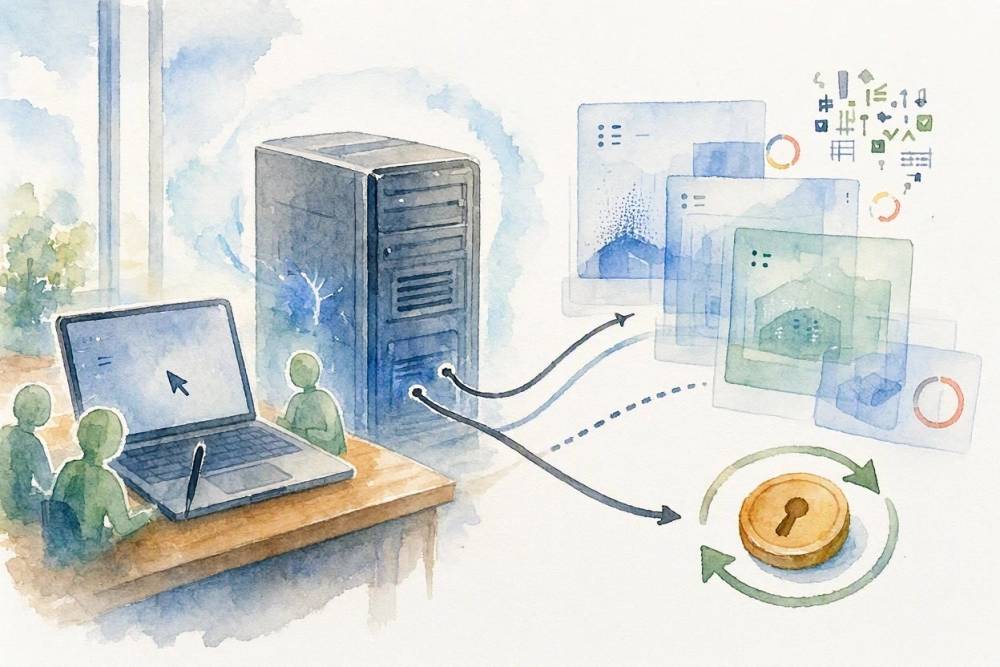
Panoptic Scans now has a Model Context Protocol (MCP) server. That means an AI agent in your editor, such as Cursor, can create scans, check their progress, pull reports, and walk through findings with you in plain language. You don't have to write any glue code.
Panoptic Scans already has a REST API, so a fair question is why you would want both. This post covers what the MCP server gives you, how it differs from the API, and when each one is the better fit. It also walks through one practical workflow: asking an agent to scan staging after a deploy and tell you what to fix first.
What the Panoptic Scans MCP server is
MCP is an open protocol that lets AI applications discover and call tools exposed by a server. The Panoptic Scans server uses the Streamable HTTP transport at https://panopticscans.com/mcp, and clients can discover it from the public MCP server card.
Once connected, an agent sees three kinds of capabilities:
- Tools for scans (
list_scans,create_scan,update_scan,rerun_scan,delete_scan,list_scan_runs,upload_scan_results), reports (get_report,report_links), vulnerabilities (list_vulnerabilities,get_vulnerability,export_vulnerabilities,accept_vulnerability,mark_false_positive,undo_vulnerability), targets (list_targets,get_target,list_target_vulnerabilities,delete_target), and webhooks (list_webhooks,create_webhook,update_webhook,delete_webhook,test_webhook,list_webhook_deliveries). - A prompt called
review-findings. It tells the agent to pull your vulnerabilities, group them by host, rank them by severity, and recommend what to fix first, using only the findings the tool returned. It takes an optional severity filter. - Resources for the server card and the agent authentication guide, so the agent can read how access works without leaving the session.

Same key, same token, same plan limits
The MCP server and the REST API share one authentication system. You create an API key under Settings, API Keys, exchange it for a short-lived access token at /api/token, and send Authorization: Bearer YOUR_ACCESS_TOKEN with every request. That one token works for both the API and the MCP server.
Limits are shared too. MCP tool calls count against the same plan limits as REST requests, so running a scan from Cursor uses the same capacity as running it from a script. The create_scan tool says this in its own description. MCP access is included on every plan, so you don't need an upgrade to try it. See pricing for what each plan includes.
How the MCP server differs from the REST API
Both reach the same data. The difference is who is driving and what shape the work takes.
With the REST API, your code decides exactly which endpoint to call, with which parameters, in which order. You get the same behavior on every run and parse the JSON yourself.
With the MCP server, an AI agent picks the tools based on what you asked for, fills in the arguments, reads the results, and explains them. Every tool publishes a description and input schema, so the agent knows that a ZAP scan takes one URL starting with https:// while Nmap, OpenVAS, and Nuclei take hostnames or IPs. You don't have to remember any of that.
| REST API | MCP server | |
|---|---|---|
| Who drives | Your code | An AI agent, guided by you |
| Endpoint | https://panopticscans.com/api |
https://panopticscans.com/mcp (Streamable HTTP) |
| Discovery | OpenAPI spec and the API portal | Server card plus tools/list and prompts/list at runtime |
| Authentication | Bearer access token from /api/token |
The same bearer token, plus an Mcp-Session-Id header after initialize |
| Plan limits | Your plan's limits | The same limits |
| Output | JSON you parse | Results the agent reads and summarizes for you |
| Repeatability | Same input, same calls, every time | Depends on the model and the prompt |
| Best at | CI/CD, scheduled jobs, integrations, webhook receivers | Interactive triage, ad-hoc questions, agents in your IDE |
Advantages of using the MCP server
No glue code for one-off questions. "Which hosts have unresolved High findings?" is a small script against the API. In Cursor it is one sentence, and the agent calls list_vulnerabilities with the right filters.
Triage happens where you fix things. Your agent can read a finding with get_vulnerability, including the evidence, affected port, CVSS data, and suggested solution, then open the file in your repo that needs the change.
Plain-language summaries. The review-findings prompt gives you a ranked, host-by-host summary without sorting a CSV by hand. It pairs well with our post on vulnerability prioritization for SaaS.
Featured workflow: scan staging after a deploy and summarize what to fix first
You have just shipped to staging. Before you promote to production, you want a quick scan and a short list of anything worth fixing. In Cursor's agent chat, ask for it directly:
I just deployed to staging. Run a one-time ZAP scan against
https://staging.example.com, send the results to [email protected],
and use the America/New_York time zone. Check on it until it's done,
then use the review-findings prompt to summarize the findings for the
staging host and tell me what to fix first. Don't accept, delete, or
mark anything as a false positive without asking me.
Here is roughly what the agent does with that request:
- It calls
create_scanwithscan_typeset toZAP,scan_frequencyset toOne-time, your staging URL asscan_target, plus the time zone and email. According to the tool description, a one-time scan with a start time in the past starts right away, and it spends plan capacity. - It checks progress with
list_scansand readsscan_progress, which distinguishes Running and Done from Failed, Timeout, and Target Unreachable, so you hear clearly if staging was down. - When the scan is done, it follows the
review-findingsinstructions and callslist_vulnerabilities. Because the prompt looks at your whole account, ask the agent to narrow it with thetargetfilter so you only see staging. - For the top items, it calls
get_vulnerabilityto read the evidence and solution. For the full write-up, it can fetch the report withget_report.
You get back a short ranked list: what was found, on which host and port, why it matters, and what to change, grounded in findings the tool actually returned. Web app scans can take a while, so you can also create the scan now and ask for the summary later.
If staging exposes a public API, our guide on API vulnerability scanning for indie SaaS covers what continuous coverage should look like. For scans behind a login, see authenticated scanning, which create_scan supports through a Selenium login script.

Connecting Panoptic Scans to Cursor
Cursor supports remote MCP servers over Streamable HTTP and reads configuration from .cursor/mcp.json in a project or ~/.cursor/mcp.json for all projects. Per the Cursor MCP documentation, a remote server takes a url and optional headers, and header values can read environment variables. Keep the token out of the file:
{
  "mcpServers": {
    "panoptic-scans": {
      "url": "https://panopticscans.com/mcp",
      "headers": {
        "Authorization": "Bearer ${env:PANOPTIC_ACCESS_TOKEN}"
      }
    }
  }
}
To get a token, exchange your API key:
curl -X POST "https://panopticscans.com/api/token?key=YOUR_API_KEY"The JSON response includes access_token, refresh_token, token_type (bearer), and expires_in in seconds. When we tested it, access tokens lasted 3600 seconds, or one hour. Set PANOPTIC_ACCESS_TOKEN to the access token, then start Cursor from that environment. Cursor handles the MCP session itself, including the Mcp-Session-Id header.
How token refresh works
Access tokens are short-lived on purpose. When one expires, the API and MCP server answer with 401 and WWW-Authenticate: Bearer error="invalid_token". Instead of exchanging your API key again, trade the refresh token for a new pair:
curl -X POST https://panopticscans.com/api/token \
  -d grant_type=refresh_token \
  -d refresh_token=YOUR_REFRESH_TOKEN
A few rules from the auth guide are worth knowing:
- Each refresh returns a new access token and a new refresh token. Throw away the one you just used.
- A refresh token works once. If a used one shows up again, it is rejected and the tokens issued after it are revoked. That limits the damage from a leak, but two processes sharing one refresh token will log each other out, so give each integration its own API key.
- Send the API key and refresh token only to
/api/token, never with normal API or MCP calls. - To revoke access, delete the API key in Settings. Refreshes fail right away, and issued tokens stop working when they expire.
With a static header in mcp.json, Cursor sends the same token until you change it. When tool calls fail with an invalid token error, refresh, update the environment variable, and reload the server. API scripts can do this automatically on a 401.
When to use the REST API
Use the API whenever the work has to be repeatable, auditable, or unattended:
- CI/CD pipelines. Start a scan after every deploy with a fixed set of parameters and fail the build on new High findings. You don't want a language model deciding whether to run that step.
- Deterministic scripts and scheduled jobs. Nightly exports, monthly evidence for auditors, syncing findings into a ticket tracker. The SOC 2 vulnerability scanning guide explains why consistent, dated evidence matters.
- Webhooks. Panoptic Scans can call your HTTPS endpoint, Slack, Discord, or Microsoft Teams on
scan.completedandscan.failed, with HMAC-SHA256 signatures. Event-driven automation belongs in code that verifies those signatures. See webhooks. - Integrations. Anything that ships in your product or in MSP client tooling should call documented endpoints from the OpenAPI spec.
When to use the MCP server
- Interactive triage. Walking through findings, asking follow-up questions, and fixing code in the same session.
- Ad-hoc questions. "Which targets haven't been scanned in a month?" or "Export the Medium findings for this host as CSV."
- Agents in your IDE. Letting Cursor scan staging when you finish a feature and summarize results before you open a pull request.
Many teams will use both: the pipeline runs scans through the API, and people use MCP to make sense of the results.
Honest tradeoffs
Language models are not deterministic. The same request can lead to different tool calls or summaries. That is fine for exploring, and wrong for anything that must behave identically every time. Put those steps in code.
Keep a human in the loop for destructive actions. The MCP server exposes tools that change or remove data: delete_scan, delete_target (which also removes that target's recorded vulnerabilities), accept_vulnerability, mark_false_positive, and the webhook update and delete tools. Cursor asks for approval before running MCP tools by default. Leave that on for these tools, and read the arguments before you approve. Accepting a risk or marking a false positive is a security decision, not a convenience.
Scans cost capacity. create_scan and rerun_scan spend plan capacity no matter who calls them, so be specific about targets and frequency.
Treat tokens like passwords. An access token covers your account's full API and MCP access. It is not limited to a subset of scopes. Use environment variables, not hardcoded values, and give each integration its own key so you can revoke one without breaking the others.
Getting started
Create an API key, add the server to Cursor with the config above, and try the staging workflow on your next deploy. The Developer API and MCP docs cover the details, and the API portal has the interactive reference. New to Panoptic Scans? Start with the getting started guide.