
Targets
Targets are automatically created from the targets you configure when you run scans. Each target represents an asset or endpoint in your environment that Panoptic Scans has assessed.
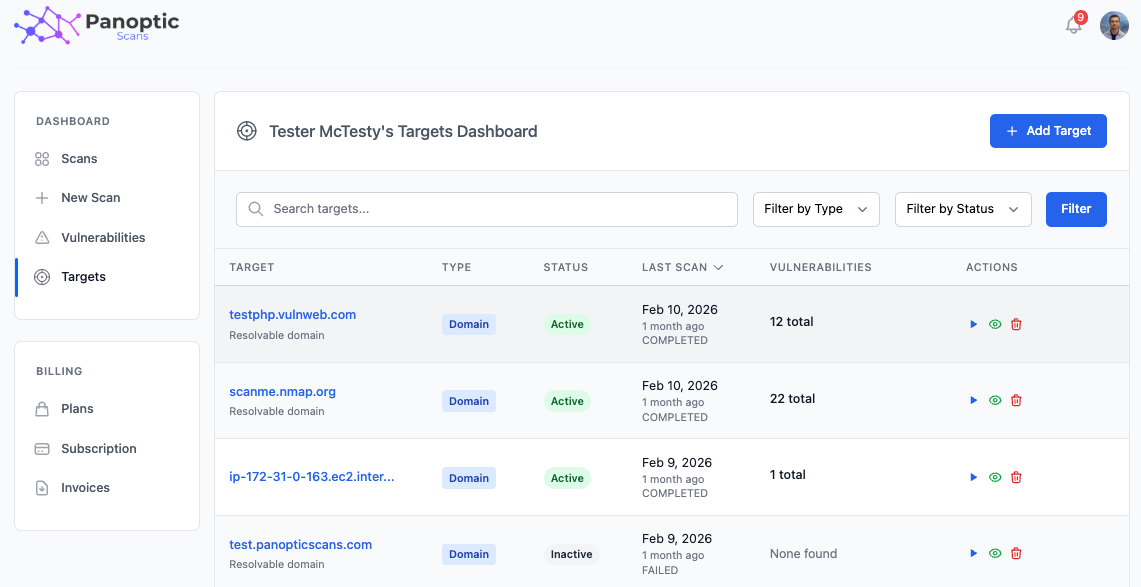
Targets page
Open the Targets page to see every target in your account. This view gives you a consolidated picture of your attack surface - what you are scanning and what has been discovered against those assets.
Target details
Click a target to open its detail view and see all vulnerabilities associated with that target, helping you understand risk per asset.
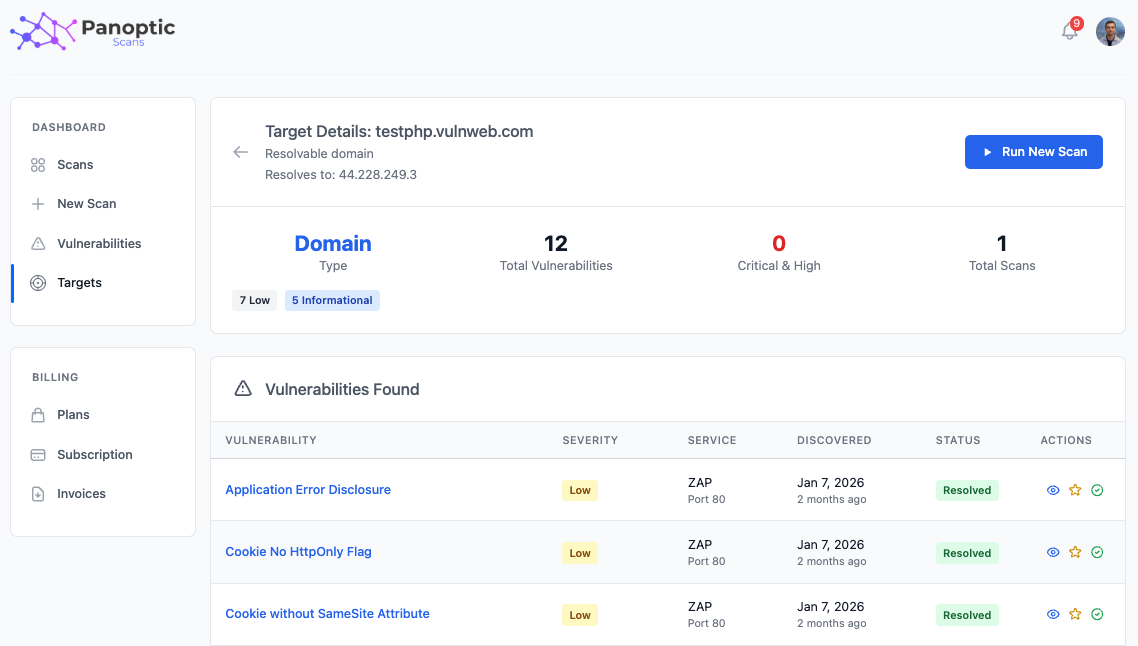
Deleting targets
You can delete a target to remove it from your account along with its associated data. Use this when a host or application is decommissioned or should no longer appear in your inventory.
How do targets relate to scans?
Targets are created automatically from the hostname, IP, CIDR, or URL you enter when you create a scan. OpenVAS, ZAP, Nmap, and Nuclei findings all attach to that target so you can see risk per asset instead of hunting through individual scan runs. Filtering by severity and scanner type is available on the targets list.
Keep production and staging as separate targets when possible. That makes it easier to show auditors which internet-facing systems were in scope for a given quarter, and it avoids mixing noisy pre-production findings with production evidence.