
Vulnerability Management
The Vulnerabilities dashboard shows all findings across your scans in one place. Use it to review, prioritize, and track issues over time.
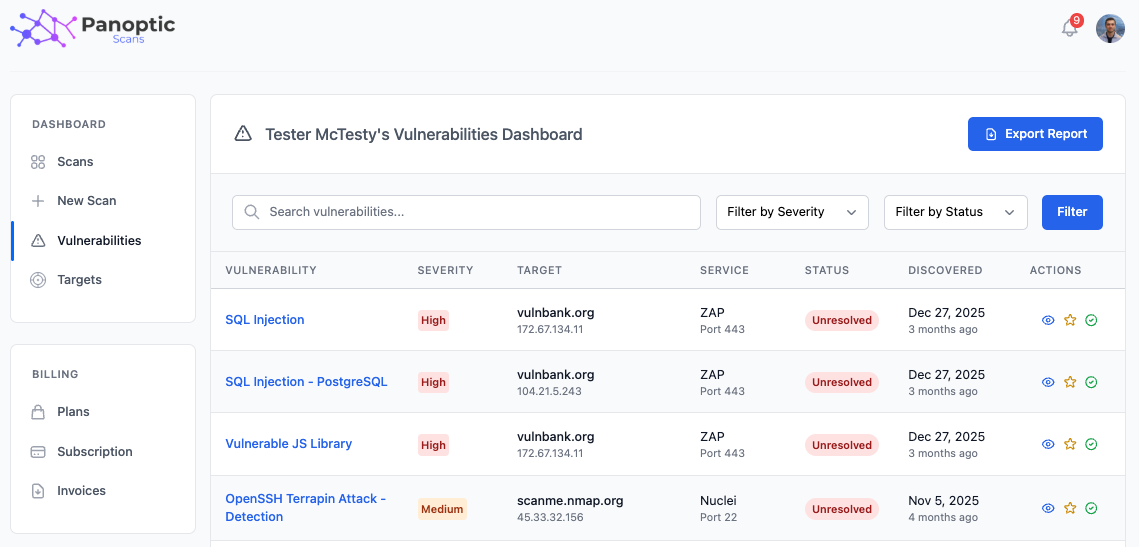
Filtering
Narrow the list by severity, status, and scanner type so you can focus on what matters most for your environment.
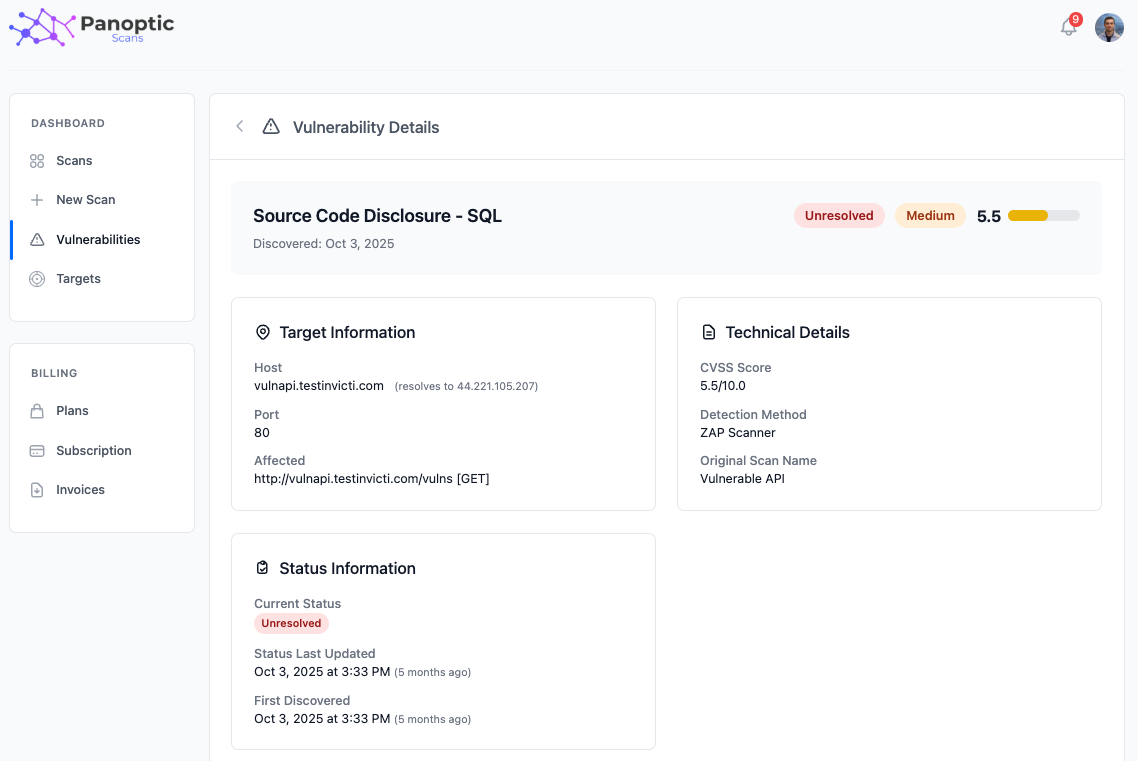
Vulnerability detail
Open a finding to see its description, severity rating, the affected target, and remediation guidance to help your team fix or accept the issue.
Status workflow
Findings start as Active. You can move them to Accepted Risk or False Positive, and you can undo either decision to return the vulnerability to Active.
- Accept Risk - Acknowledge the vulnerability but accept it (for example, when residual risk is acceptable for the business).
- False Positive - Mark the finding as not a real vulnerability.
- Undo - Revert to Active status when you need to review the finding again.
Export
Export vulnerabilities to CSV for reporting, ticketing systems, or offline analysis.
Auto-resolve and reactivation
Vulnerabilities auto-resolve when they are no longer detected in subsequent scans. If the same issue appears again later, it can reactivate so you stay aligned with the current state of your targets.